
Published
Learn how to configure your MAC print driver for 1) 3 & 2 Hole Punch, 2) Stapled Sets, 3) Folded Booklets.
- Category
- Printing from MAC

Be the first to comment
Up Next
Autoplay
-
01:52

How To: Select Different Paper Sizes & Scaling
-
00:12
How To: Use the Special Pages & Image Options Tabs
-
00:20
How To: Use the Color Options Tab
-
01:02
How To: Access the Help Options on the Control Panel - Print "How to Sheets"
-
03:03
How To: Choose Document Options (Booklets, Covers, Inserts, Watermarks, etc.)
-
00:27
How To: Select Single or Double Sided Printing
-
01:09
How To: Print to your Xerox Printer & Use the Paper Output Options
-
01:30
How To: Use the Scan to Email Options
-
01:01
How To: Select Finishing Options - Stapled Sets, Hole Punch, Folding
-
00:17
How To: Select Single or Double Sided Printing
-
02:15

Mobile Printing - Print from your Android device to your network printers Part I
-
03:47

Enterprise Organizer - How enterprise search can increase your productivity
-
02:00

Panasonic KV-S5046H and KV-S5076H Departmental Scanner Overviews
-
04:55

Scan Pack for QuickBooks
-
02:47

Standard Scan Pack - Batch Scan to Text Searchable PDF (Using Common Separator Pages)
-
02:23
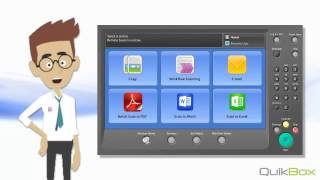
Standard Scan Pack - Scan to Word

 Loading...