
Published
Learn how to park your active call using the RingCentral App for Mobile.
- Category
- RingCentral App for Mobile

Be the first to comment
Up Next
Autoplay
-
01:20

RingCentral App: Using the Call to Video Feature
-
01:32
Sending an SMS Using the RingCentral App for Mobile
-
02:25
Faxing from the RingCentral App for Mobile
-
03:11
Mobile Printing - Overview
-
01:49
Calling Using the RingCentral App for Mobile
-
01:13
RingCentral Video: Accessing Video Meetings Within the RingCentral App for Mobile
-
06:37
RingCentral App For Mobile Basics
-
02:16
Mobile Printing - Printing for the Mobile Laptop User
-
01:28
Using Messaging Functions in the RingCentral App for Mobile
-
01:37
Checking your Voicemail through the RingCentral App for Mobile
-
02:15

Mobile Printing - Print from your Android device to your network printers Part I
-
03:47

Enterprise Organizer - How enterprise search can increase your productivity
-
02:00

Panasonic KV-S5046H and KV-S5076H Departmental Scanner Overviews
-
04:55

Scan Pack for QuickBooks
-
02:47

Standard Scan Pack - Batch Scan to Text Searchable PDF (Using Common Separator Pages)
-
02:23
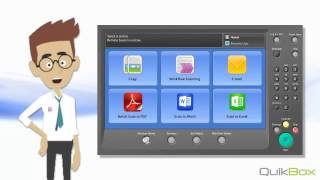
Standard Scan Pack - Scan to Word

 Loading...