
Published
Check supplies levels, paper amounts, and job status.
- Category
- Printing from Windows

Be the first to comment
Up Next
Autoplay
-
01:18

How To: Fax from your Desktop through the Print Driver
-
00:57
How To: Check on your Printer Status
-
01:46
How To: Fax from your Desktop through the Print Driver
-
02:38
How To: Save your Print Job Defaults in the Print Driver
-
04:08
How To: Download & Install the Xerox Global Print Driver
-
02:43
How To: Fax from your Desktop through the Print Driver
-
01:00
How To: Check on your Printer Status
-
04:06
How To: Download & Install the Xerox Global Print Driver
-
01:26
How To: Use the Layout Adjustment Tab in the Print Driver
-
00:50
How To: Adjust Banner Page Settings in the Print Driver
-
02:15

Mobile Printing - Print from your Android device to your network printers Part I
-
03:47

Enterprise Organizer - How enterprise search can increase your productivity
-
02:00

Panasonic KV-S5046H and KV-S5076H Departmental Scanner Overviews
-
04:55

Scan Pack for QuickBooks
-
02:47

Standard Scan Pack - Batch Scan to Text Searchable PDF (Using Common Separator Pages)
-
02:23
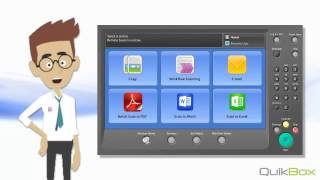
Standard Scan Pack - Scan to Word

 Loading...